
This week, while rendering scenes in Vision Pro using the Untold Engine, I realized that scenes were being rendered with the incorrect color space. Well, initially, I thought it was a color space issue — but something was telling me that this was more than just a color space problem.
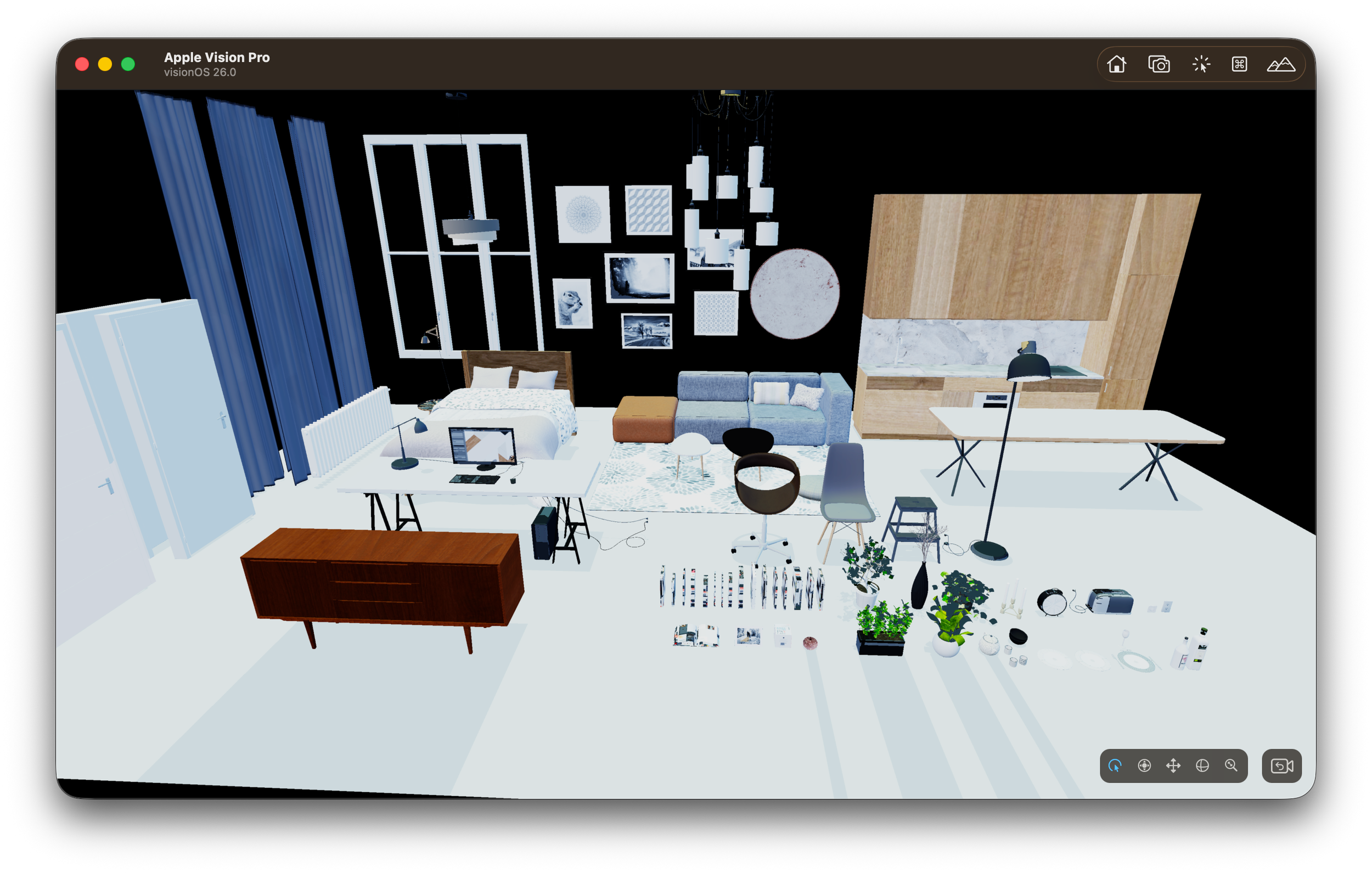
After analyzing my render graph and verifying the color targets I was using in the lighting pass and tone mapping pass, I realized that I had made a crucial mistake in the engine.
See, my lighting pass was doing all calculations in linear space, which is correct. However, the internal render targets were being created using the drawable's pixel format. Doing so meant that every platform could change the precision, dynamic range, and even encoding behavior of my internal buffers.
In other words, my lighting results were being stored in formats dictated by the drawable’s target format. That is wrong. The renderer should own its internal formats — not the presentation layer.
Because the drawable format differs per platform (for example, .bgra8Unorm_srgb on Vision Pro), my internal render targets were sometimes:
- 8-bit
- sRGB-encoded
- Not HDR-capable
Even though my lighting calculations were done in linear space, the storage format altered how those results were preserved and interpreted.
So yes — the math was linear, but the buffers holding the results were not consistent across platforms.
That is where the mismatch came from.
To fix this, I explicitly set the color target used in the lighting pass to rgba16Float. By doing this, I ensured:
- Stable precision
- HDR-capable storage
- Linear behavior
- Platform-independent results
Now, my lighting calculations are identical regardless of the platform, because the internal render targets are explicitly defined by the engine — not by the drawable.
The Second Issue: Tone Mapping Is Not Output Encoding
The other issue was more subtle and made me realize that I still have a lot more to learn about tone mapping.
My pipeline originally followed this path:
- Lighting Pass
- Post Processing
- Tone Mapping
- Write to Drawable
The problem with this flow was that I assumed that after tone mapping, the image was ready for the screen.
But that is not true.
Different platforms expect different things:
- Different pixel formats (RGBA vs BGRA)
- Different encoding (linear vs sRGB)
- Different gamuts (sRGB vs Display-P3)
- Different dynamic range behavior (SDR vs EDR)
My pipeline above implicitly assumed that the tone-mapped result already matched whatever the drawable expected.
But tone mapping does not mean “ready for any screen.”
Tone mapping only compresses HDR → display-referred brightness range. It does not:
- Encode to sRGB automatically
- Convert color gamut
- Match the drawable’s storage format
- Handle EDR behavior
So when I wrote directly to the drawable after tone mapping, I was essentially letting the platform decide how the final color should be interpreted.
And since platforms differ, my final image differed.
What Was I Missing?
I needed to separate responsibilities more clearly.
I needed a pass that owned the creative look — fully defined and controlled by the engine:
- Exposure
- White balance
- Contrast
- Tone mapping curve
This defines how the image should look artistically.
And I needed a separate pass that is platform-aware — an Output Transform pass — that defines how the display expects pixels to be formatted:
- Encode to sRGB or not
- Convert to P3 or not
- Clamp or preserve HDR
- BGRA vs RGBA channel order
- EDR behavior
In my original pipeline, I had collapsed Look + Output Transform into one step. I wasn’t explicitly controlling the final encoding, so the platform’s defaults influenced the final image.
With the extra passes and modifications I made, the Look pass now defines the artistic look of the image. The Output Transform defines how that look is encoded for a specific display.
Previously, I was conflating the two — which allowed the platform’s drawable format to influence the final result.
Here is the image after the fix.
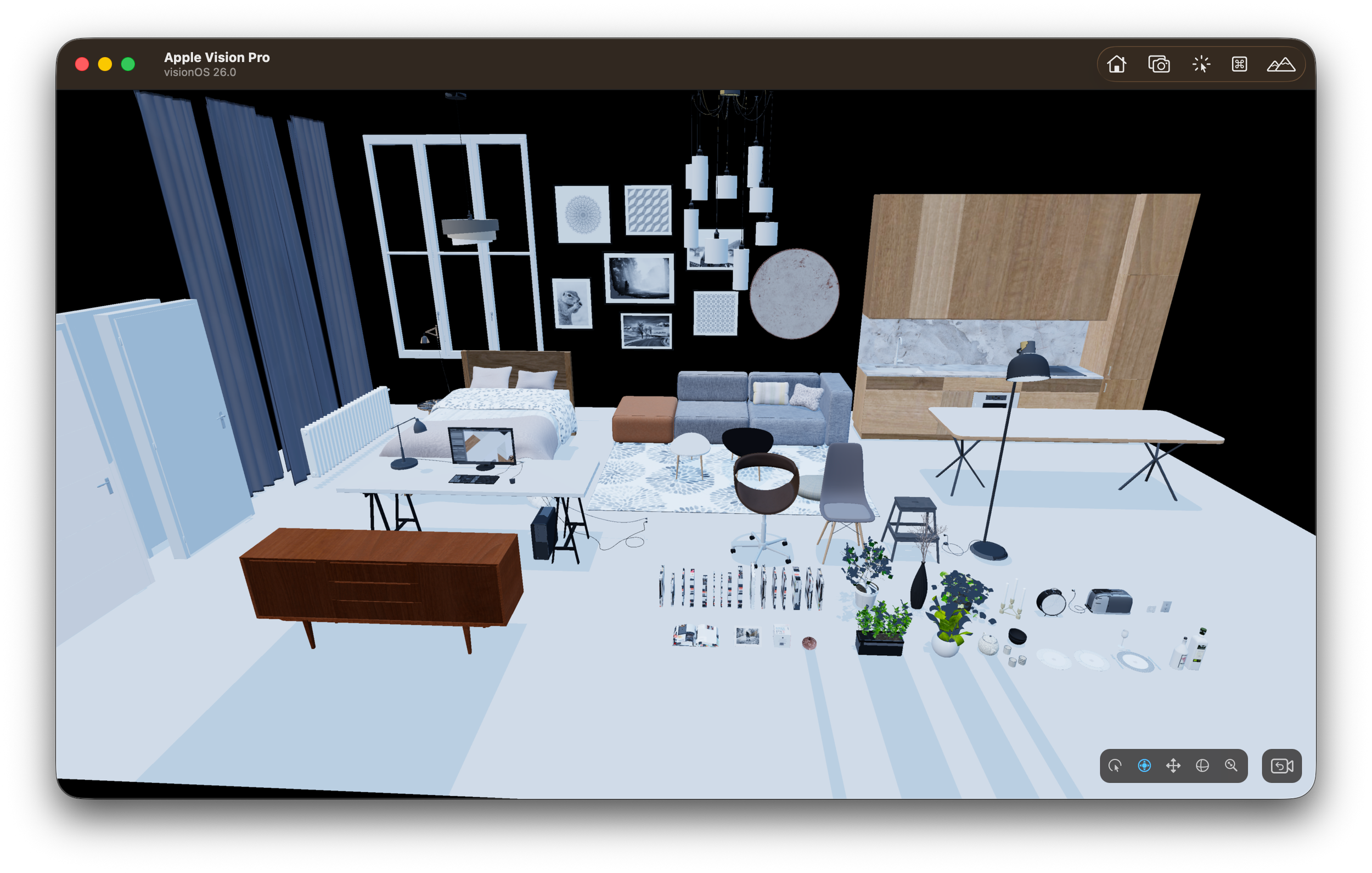
After fix image
Now, the renderer owns the working color space and internal formats, and the drawable only affects the final presentation step.
Thanks for reading.
