How 3D animations work in a game engine? An overview

One of the hardest features to implement in a game engine is the animation of 3D characters. Unlike animation in 2D games, which consists of sprites played sequentially over a period, animation in 3D games consists of an armature influencing the vertices of a 3D model.

3D mesh and a bone armature

3D mesh and a bone armature

To animate a 3D model, the 3D model requires an armature. An armature is a set of 3D bones. Connecting the armature to the 3D model produces a parent to child linkage. In this instance, the armature is the parent, and the 3D model is the child.
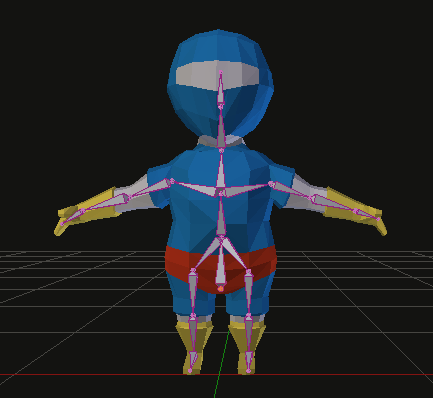
Armature linked to the 3D mesh

Armature linked to the 3D mesh

Bones influence the space coordinates of nearby vertices. For example, rotating the forearm bone, transform the space coordinate of all forearm vertices in the 3D mesh. How much influence a bone has on a vertex is known as a Vertex Weight.
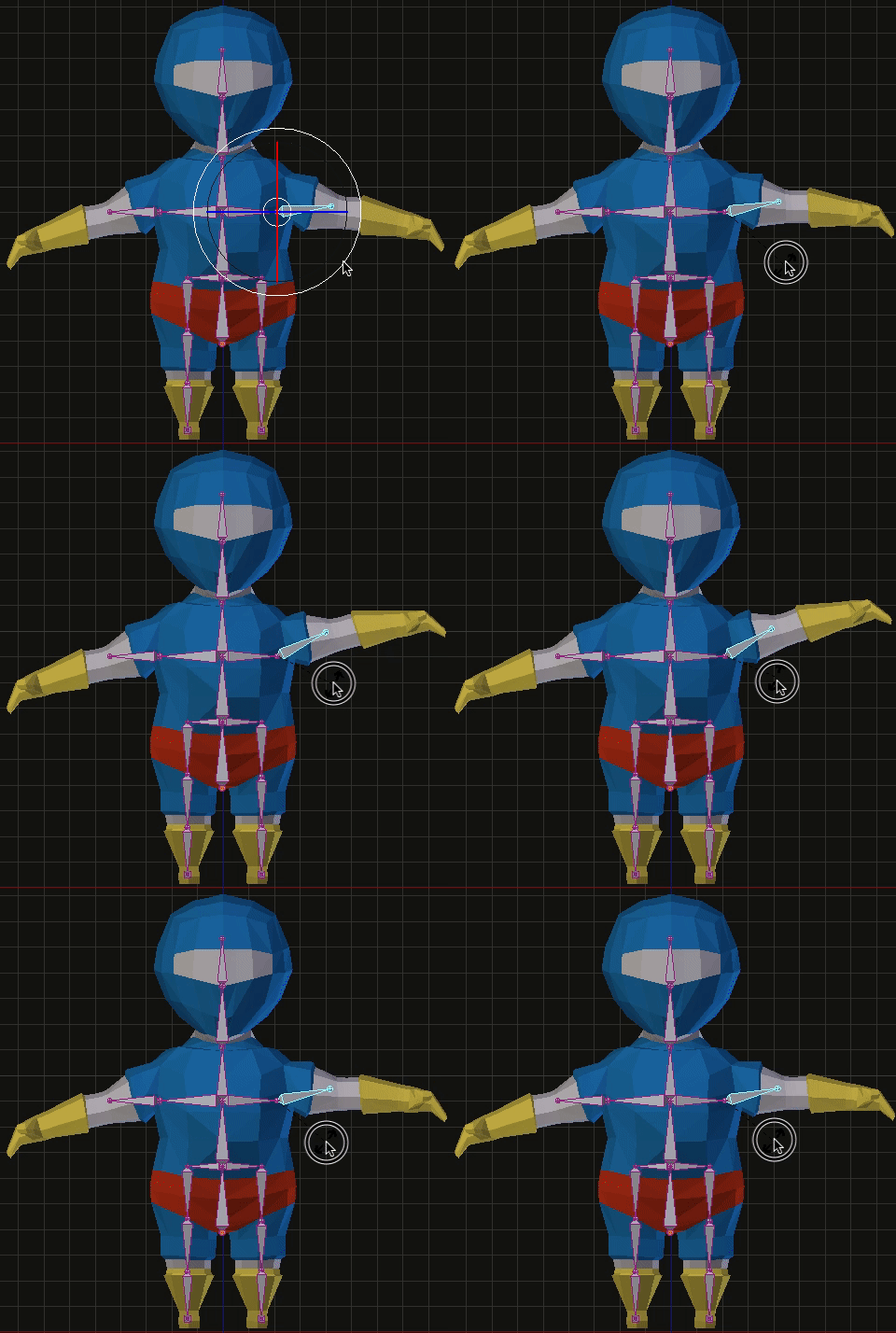
Rotating a bone affects nearby vertices

Rotating a bone affects nearby vertices

3D animations are composed of several keyframes. A keyframe stores the rotation and translation of every bone. As keyframes are played, the influence of bones on nearby vertices deforms the 3D model creating the illusion of an animation.
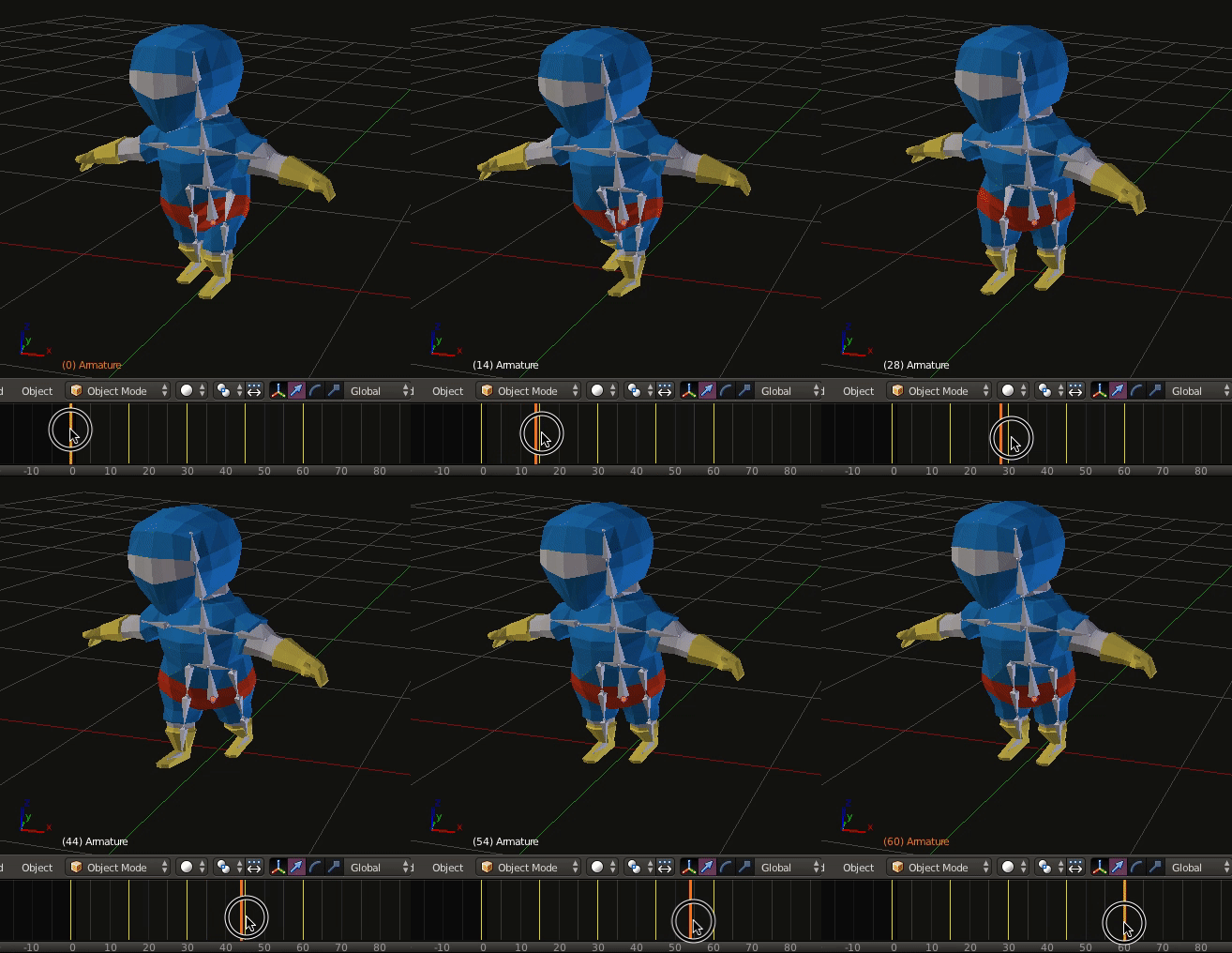
Animation with keyframes

Animation with keyframes

The data stored in keyframes and vertex weights are exported to the game engine using a Digital Asset Exporter (DAE). When a game engine runs an animation, it sends keyframe data to the GPU.
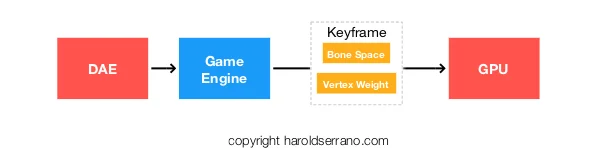
As the GPU receives the keyframe data, the bone's vertex weight and bone's space deforms the 3D model recreating the animation.

Game engine running an animation

Game engine running an animation

However, rendering only the keyframes received by the DAE may produce choppy animations. The game engine smoothes out the animation by interpolating the data in each keyframe. That is, it interpolates the bones' coordinate space between each keyframe.

Thus, even though a game artist may have produced only four keyframes, the game engine creates additional keyframes. So, instead of only sending four keyframes to the GPU, the game engine sends sixteen keyframes.

Hope this helps

How do you load data into a game engine?

If you are thinking of developing a game engine, or are in the process of it, you may wonder "How do you load data into a game engine?" One answer is to provide it manually. Although it may seem inefficient, it works perfectly for simple shapes and in early stages of development. However, as your engine improves, the best way to load data into a game engine is to develop a Digital Asset Exporter and a Digital Asset Loader.

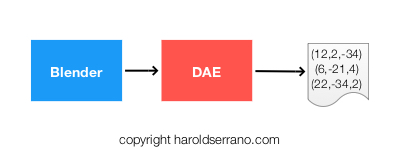
Game engine development requires the development of an external plug-in that extracts geometrical data from a 3D character. This plug-in is known as a Digital Asset Exporter (DAE), and it interfaces with modeling tools like Blender 3D.

The DAE extracts data from Blender ( A 3D modeling tool)

The DAE extracts data from Blender ( A 3D modeling tool)

The DAE is part of a bridge between Blender and the engine. Whereas Blender helps with the creation of a game character, the DAE extracts data required by the engine.

The DAE extracts character's data in raw format

The DAE extracts character's data in raw format

At its most basic, the DAE extracts the following information from a character's mesh:

  • Vertices
  • Normal vectors
  • UV coordinates
  • Texture image

The Digital Asset Exporter is only part of the equation. Once the raw data is available, a Digital Asset Loader (DAL) loads the raw data into the engine's data structures. However, the DAE must provide the raw data to the DAL in an XML-format which the DAL can parse.

The Digital Asset Loader reads data (in XML format) from the DAE

The Digital Asset Loader reads data (in XML format) from the DAE

Once the data is in the engine's data structures, the rendering manager sends this data to the GPU for rendering.

The DAL loads data into the engine. The engine sends it to the GPU

The DAL loads data into the engine. The engine sends it to the GPU

Unlike the DAE which I developed using Python and resides outside the engine, the DAL was developed using C++ and is part of the engine.

In my experience, the most complicated part of developing a DAE was understanding the Blender API, getting acquainted with 3D modeling terminology and using Blender itself.

I am not an artist. So I had to learn Game Character Modeling before I was able to develop the DAE.

The DAL is straightforward to implement. I ended up using the TinyXML API which parses XML-format documents.

Hope this helps.

Computing the Convex Hull of a 3D mesh

Convex Hulls are essential for a Collision-Detection system. Without Convex-Hulls, a game engine would not be able to detect collision among convex objects. Unfortunately, computing Convex-Hulls is complicated and time-consuming.  Luckily for us, Joseph O'Rourke came to the rescue.

A brief explanation of Game Engine math

In Game Engine development, you always deal with Dot Products, Cross Products, Transformations, Inverses, etc. You may not know why or when you should use these operations. And that is why I wrote this article. I want to teach you why and when these operations should be used.

Tips for developing a Collision Detection System

Six tips to keep in mind when developing a Collision Detection System for your Game Engine.